> ## Documentation Index
> Fetch the complete documentation index at: https://docs.aodeploy.com/llms.txt
> Use this file to discover all available pages before exploring further.
# Environment Variables
> Manage secrets and configuration for your agents across environments.
## Overview
Environment variables let you inject secrets and configuration into your agent at runtime. API keys, database URLs, feature flags, anything your code reads from `os.environ`.
Variables are scoped to an **environment** (Production, Preview, or Development) and are automatically available inside every run that targets that environment.
***
## Managing variables
Open your project dashboard and navigate to the **Settings** tab. The Environment Variables section lists all variables currently configured for your workspace.
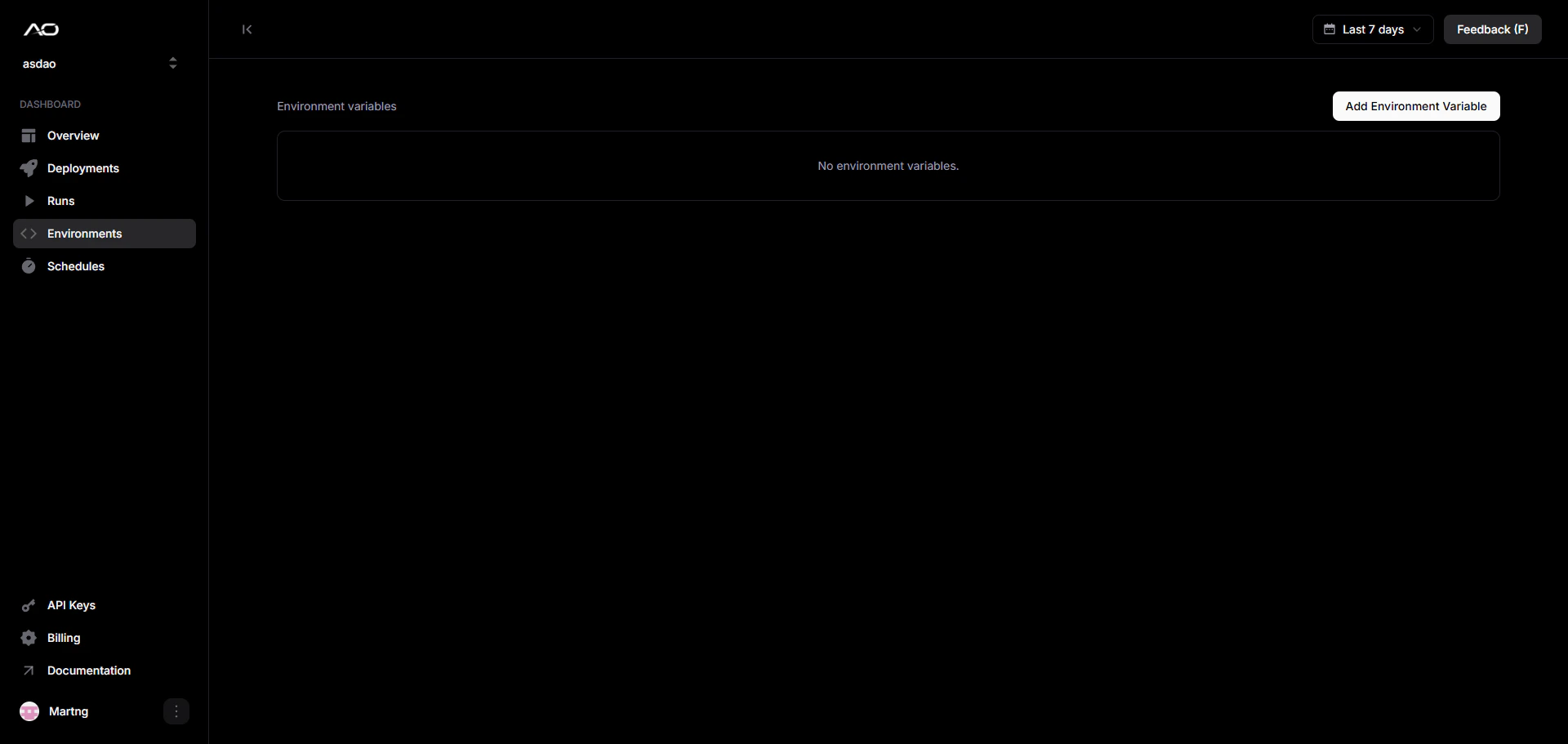 Click **Add Environment Variable** to open the dialog. Fill in the key, value, and target environment, then click **Save**.
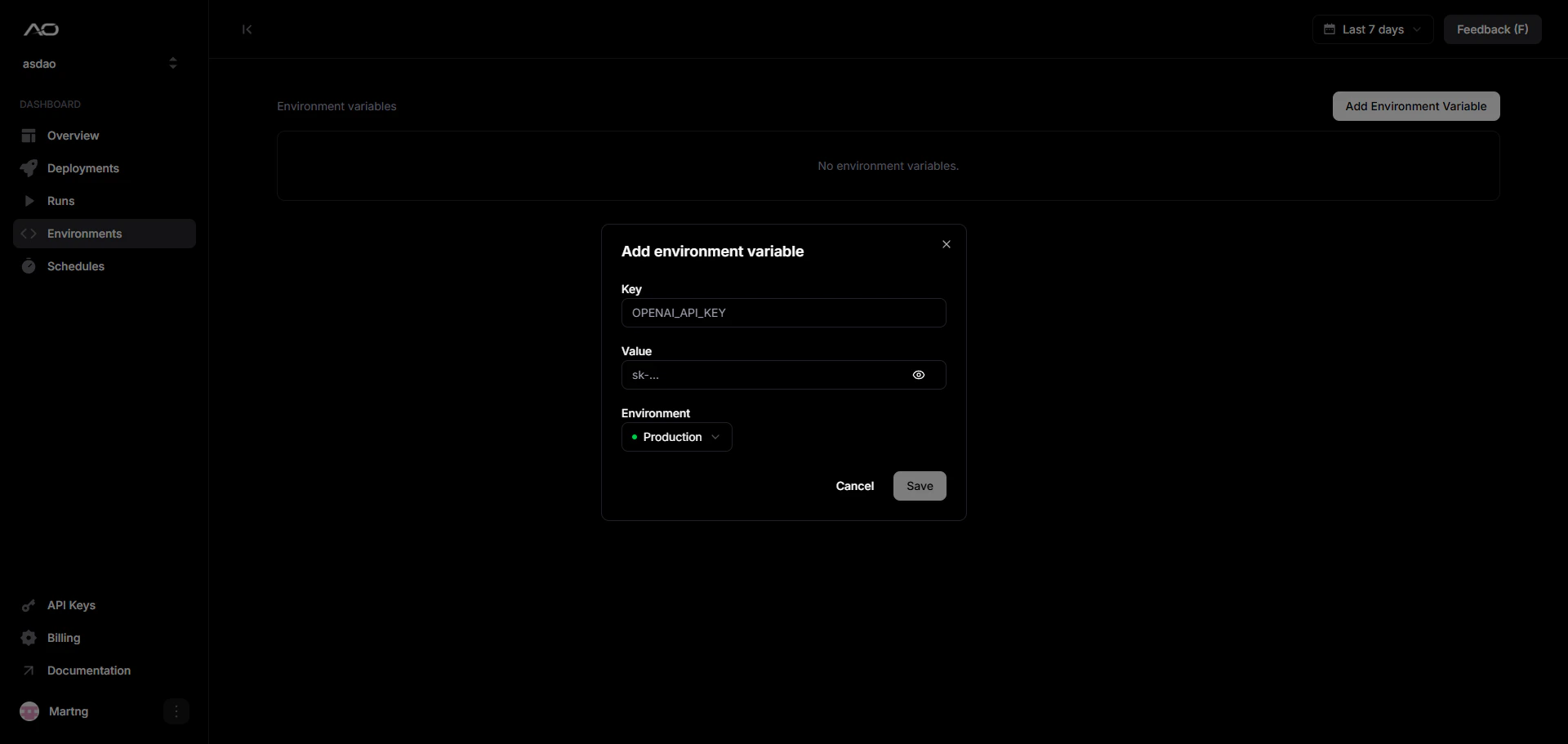 Values are masked after saving. Click the eye icon on any row to reveal the
value temporarily.
***
## Accessing variables at runtime
Variables are injected as standard environment variables. Read them the same way you would in any Python process:
```python theme={null}
import os
openai_key = os.environ["OPENAI_API_KEY"]
database_url = os.environ.get("DATABASE_URL", "sqlite:///local.db")
```
AO also injects a set of built-in variables on every run:
| Variable | Description |
| --------------- | ------------------------------------------------------ |
| `AO_RUN_ID` | Unique ID for the current run |
| `AO_ATTEMPT` | Current attempt number (1-indexed) |
| `AO_LAST_ERROR` | Error message from the previous failed attempt, if any |
| `AGENT_INPUT` | JSON object with the input passed via `ao run --input` |
***
## Security
* Values are **encrypted at rest** and never exposed in logs or run output.
* Variables are only decrypted inside the isolated container at run start.
* Deleting a variable takes effect on the next run, in-flight runs are not affected.
Never commit secrets to your repository. Use environment variables for
anything sensitive, even in local development.
Values are masked after saving. Click the eye icon on any row to reveal the
value temporarily.
***
## Accessing variables at runtime
Variables are injected as standard environment variables. Read them the same way you would in any Python process:
```python theme={null}
import os
openai_key = os.environ["OPENAI_API_KEY"]
database_url = os.environ.get("DATABASE_URL", "sqlite:///local.db")
```
AO also injects a set of built-in variables on every run:
| Variable | Description |
| --------------- | ------------------------------------------------------ |
| `AO_RUN_ID` | Unique ID for the current run |
| `AO_ATTEMPT` | Current attempt number (1-indexed) |
| `AO_LAST_ERROR` | Error message from the previous failed attempt, if any |
| `AGENT_INPUT` | JSON object with the input passed via `ao run --input` |
***
## Security
* Values are **encrypted at rest** and never exposed in logs or run output.
* Variables are only decrypted inside the isolated container at run start.
* Deleting a variable takes effect on the next run, in-flight runs are not affected.
Never commit secrets to your repository. Use environment variables for
anything sensitive, even in local development.